
Important: This article explains how to close your business's entire Aspire account. If you're no longer affiliated with the company and need to remove only your individual access, refer to How to Remove a User instead.
Admin users may follow the steps below to request their business's Aspire account closure:
Empty the Aspire account balance by transferring your funds to your external account
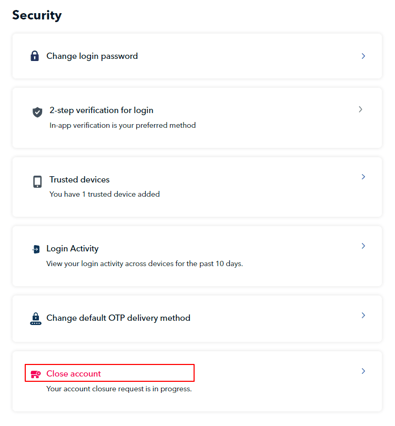
On your Aspire dashboard, go to "Settings" in the upper right corner and select "Security" (web app). On the mobile app, go to "Settings" at the bottom right and then select "Security".
Webapp:


Mobile app

Click "Close account."
Choose the reason for your account closure in the dropdown, then click the "Request account closure" button.

Once you have selected "Request account closure", our Support team will process your request and contact you (if needed) within three business days.
Notes:
If you are unable to find the "Close account" tab, you may reach out to the Aspire Support team via the Aspire app.
If your Aspire account is not yet active or verified and you wish to close your Aspire account, you may reach out to the Aspire Support team via the Aspire app.
Questions? Chat with us by clicking on the messenger icon at the bottom right of the screen once you are logged in.